For many of us, aging in place means more than simply staying in the house we love. It means continuing to live there safely, comfortably, and as independently as possible.
Smart home technology can help.
You don’t need a house filled with complicated gadgets or expensive equipment. A few carefully chosen devices can make everyday tasks easier, improve home safety, and provide added peace of mind for both older adults and their families.
From lights that turn on automatically when you get out of bed to a video doorbell that lets you see who’s at the door without rushing to answer it, smart technology can solve real problems.
The key is choosing technology that makes life simpler—not more complicated.
What Is Smart Home Technology?
Smart home technology includes devices that connect to the internet or communicate with other devices in your home.
Depending on the product, you may control it through:
A smartphone or tablet
Voice commands
A remote control
Automatic schedules
Motion or other sensors
Some devices can also send alerts to family members or caregivers when something unusual happens.
Common examples include smart lights, thermostats, speakers, locks, video doorbells, security cameras, plugs, appliances, sensors, and medical alert systems.
You certainly don’t need all of them.
For aging in place, the best smart-home devices are the ones that solve a specific problem or make something you already do every day easier or safer.
Affiliate Disclosure: As an Amazon Associate, Age With Intent earns from qualifying purchases. If you purchase through an affiliate link on this page, we may receive a small commission at no additional cost to you.
How Smart Home Technology Can Support Aging in Place
The real value of smart-home technology isn’t that it’s impressive.
It’s that it can quietly remove some of the little obstacles that make everyday life harder.
Someone with arthritis may find it easier to tell a smart speaker to turn off the lights rather than manipulate a small switch.
Someone with limited mobility may appreciate being able to see who’s at the front door without getting up.
Motion-activated lights can illuminate the path to the bathroom at night.
A smart lock can allow a trusted family member or caregiver to enter without hiding a spare key outside.
These are relatively simple conveniences, but together they can make a home easier to navigate and manage.
1. Smart Lighting Can Make the Home Safer
Good lighting is one of the simplest ways to improve home safety.
Smart bulbs, switches, plugs, and motion sensors can automatically turn lights on when they’re needed.
For example, you could have:
Bedroom lights come on at a low level when you get out of bed
Hallway lights activate automatically at night
Exterior lights turn on at sunset
Living-room lights turn on with a voice command
Lights throughout the house turn off automatically at bedtime
This can be particularly useful at night, when walking through a dark hallway to reach the bathroom can increase the risk of tripping or falling.
Smart lighting shouldn’t replace other important home-safety improvements, such as removing loose rugs, improving stair lighting, and installing appropriate handrails or grab bars. But it can be a helpful addition to a safer home.
2. Voice Assistants Can Make Everyday Tasks Easier
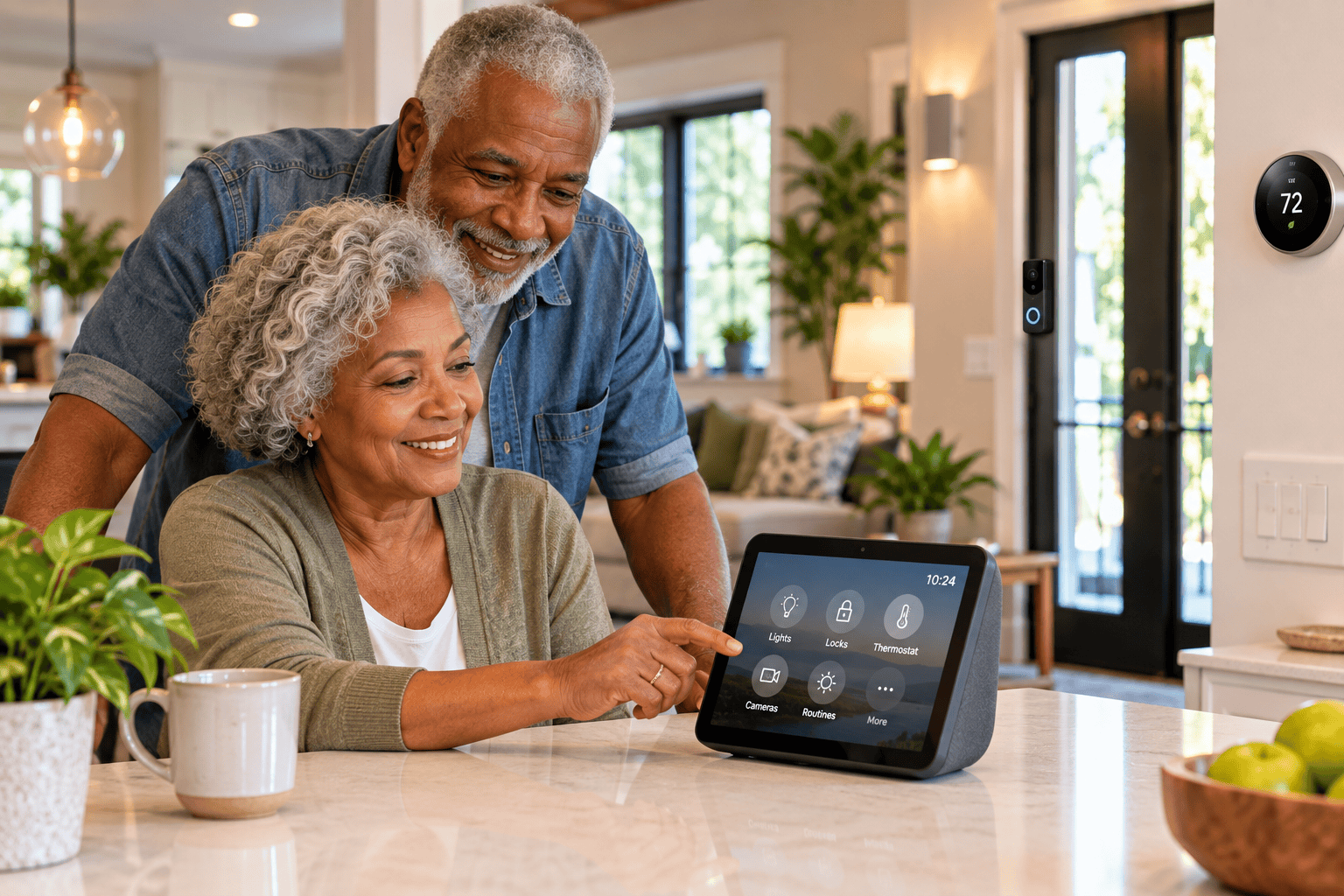
Smart speakers and displays can act as a simple control center for compatible devices throughout the home.
Depending on the system and setup, you may be able to use your voice to:
Turn lights on and off
Adjust the thermostat
Set reminders and timers
Play music
Check the weather
Make certain calls
View compatible security cameras
Control smart plugs and appliances
Create daily routines
Voice control can be especially helpful for someone who has difficulty walking, reaching switches, manipulating small controls, or using a smartphone.
A smart display can add a visual screen for video calls, reminders, calendars, recipes, and compatible doorbell or security-camera feeds.
The important thing is to keep the setup simple. If a system requires remembering numerous commands, navigating several apps, or constantly troubleshooting connections, it may create more frustration than benefit.
3. Video Doorbells and Smart Locks Can Improve Security
Answering the door can become more difficult if mobility or balance changes.
A video doorbell allows you to see who’s outside and, with many systems, speak with the visitor without opening the door.
That can be useful for identifying:
Visitors
Delivery drivers
Service providers
Unexpected callers
Smart locks provide another useful option.
Instead of making multiple physical keys, some systems allow temporary or individual access for trusted family members, caregivers, cleaners, or other people who regularly need to enter the home.
You may also be able to check remotely whether the door is locked.
For someone who lives alone, these features can provide an additional layer of security and convenience.
4. Smart Sensors Can Provide Extra Peace of Mind
Not every smart-home device needs a camera.
Simple sensors can detect activity such as a door opening, movement in a room, water leaking, or—in some systems—changes in someone’s usual routine.
This can be especially helpful for families supporting an older relative who lives independently.
The goal shouldn’t be constant surveillance.
Instead, thoughtfully chosen technology can sometimes provide reassurance while allowing the person living in the home to maintain privacy and independence.
Before installing monitoring technology for someone else, discuss exactly what will be monitored, who will receive the information, and what everyone is comfortable with.
5. Technology Can Help With Fall Prevention and Emergencies
Technology cannot prevent every fall, but certain devices can add another layer of protection.
Motion-activated lighting can improve visibility at night. Some wearable devices and medical alert systems can detect falls or make it easier to call for assistance.
Other systems can send an alert to a designated family member or emergency-response service.
This can be particularly reassuring for someone who lives alone.
However, technology should complement—not replace—basic fall-prevention measures.
Clear walkways, secure handrails, good lighting, appropriate bathroom grab bars, strength and balance, vision care, and properly fitted mobility aids remain important parts of reducing fall risk.
6. Smart Thermostats Can Improve Comfort
Getting up repeatedly to adjust a thermostat may become inconvenient, especially for someone with limited mobility.
A smart thermostat allows temperature adjustments from a phone, tablet, compatible smart speaker, or automated schedule.
Some systems can also learn household patterns and automatically adjust heating and cooling.
That can make the home more comfortable while potentially reducing unnecessary energy use.
Remote access can also be useful when you’re traveling or spending part of the year somewhere else because you can check and adjust the temperature without being physically present.
7. Smart Plugs Can Make Ordinary Devices Easier to Control
You don’t necessarily have to replace existing lamps and small appliances with expensive smart versions.
A smart plug can give certain ordinary electrical devices basic smart capabilities.
For example, a lamp connected to a compatible smart plug might be controlled through an app, schedule, or voice assistant.
This can be an inexpensive way to experiment with smart-home technology before investing in a larger system.
Always follow the manufacturer’s instructions and make sure the device you’re connecting is appropriate for use with a smart plug.
8. Smart Technology Can Support Medication Routines
Medication management can become complicated, particularly when someone takes several medications at different times of the day.
Technology can help with:
Medication reminders
Timed alerts
Automated pill dispensing
Notifications when a scheduled dose may have been missed
An automatic pill dispenser may be helpful for some people, particularly when remembering whether medication has already been taken becomes difficult.
These products aren’t right for everyone, and technology shouldn’t replace appropriate medical guidance or medication review. But the right system can make an established medication routine easier to follow.
9. Smart Technology Can Help Families Stay Connected
Technology can support independence without eliminating human connection.
Smart displays, tablets, and other devices can make video calls with children, grandchildren, friends, and caregivers easier.
Some devices can also support telehealth appointments, virtual exercise programs, calendars, reminders, and shared family information.
This is an important distinction.
The best aging-in-place technology doesn’t replace relationships or caregiving. It helps support them.
10. Smart-Home Technology Can Make Caregiving Easier Too
Smart-home technology isn’t only useful for the person living in the home.
With permission, family members or caregivers may be able to help remotely with certain tasks.
Depending on the devices being used, that might include checking whether a door was locked, receiving an alert about a water leak, helping adjust a thermostat, or knowing that a medical alert system has been activated.
That can provide reassurance without requiring someone to be physically present every moment.
Privacy should always be part of the conversation. The older adult should have as much control as possible over what information is shared and with whom.
What About Privacy and Security?
Connected technology comes with tradeoffs.
Smart devices may collect information about how and when they’re used, and some products include cameras or microphones.
Before buying a device:
Review its privacy settings
Use strong, unique passwords
Enable two-factor authentication when available
Keep software and apps updated
Understand what information the device collects
Know whether a subscription is required for important features
Choose established manufacturers with ongoing security support
Be especially cautious about installing cameras or monitoring devices in someone else’s home without their full understanding and agreement.
Safety matters, but so does dignity and privacy.
Don’t Try to Make Your Whole House Smart at Once
One of the easiest mistakes is buying technology simply because it sounds useful.
Instead, start with a problem.
Ask yourself:
What is becoming harder to do around my home?
Maybe getting up to turn off lights is uncomfortable.
Maybe you’re concerned about walking through a dark hallway at night.
Maybe you want to know who’s at the front door before opening it.
Maybe you’re worried about remembering whether the door was locked.
Start there.
One or two devices that solve genuine problems are more valuable than an elaborate smart-home system you don’t enjoy using.
What Smart-Home Technology Should You Start With?
If you’re new to smart-home technology, I would keep the first setup very simple.
For many older adults, a practical starter system might include:
A smart speaker or display for voice control and reminders
A few smart lights or smart plugs in frequently used areas
A video doorbell for front-door security
Motion-activated nighttime lighting between the bedroom and bathroom
From there, you can decide whether additional technology would actually make life easier.
You don’t need the newest or most expensive products. Ease of use, reliability, compatibility, and good customer support are usually more important than having the longest list of features.
Choosing Devices That Work Together
Before buying several smart-home products, check whether they work with the same ecosystem.
Some devices are designed to work with platforms such as Amazon Alexa, Google Home, or Apple Home.
A newer smart-home standard called Matter is also designed to make compatible devices work more easily across different platforms.
Compatibility matters because a collection of devices requiring several unrelated apps and accounts can quickly become confusing.
When possible, choose a simple system that can grow with you.
Smart Homes Should Still Work When Technology Doesn’t
This is an important consideration that’s easy to overlook.
Internet connections fail. Power goes out. Apps stop working. Companies discontinue products.
Essential parts of your home should still be usable when technology fails.
You should still be able to unlock a door, turn on important lights, adjust essential systems, and get help when necessary.
Smart technology should provide another way to do something—not create a new barrier when something goes wrong.
Is Smart Home Technology Worth It for Aging in Place?
For many people, yes—but only when it serves a real purpose.
The goal isn’t to turn your house into a futuristic smart home.
It’s to make everyday life a little easier.
A light that comes on before you step into a dark hallway.
A doorbell that lets you see who’s outside.
A voice command that saves you from getting up unnecessarily.
A medication reminder that helps you stay on schedule.
A way to call for help if something goes wrong.
Those are small things, but small things can make a meaningful difference when the larger goal is staying safe, comfortable, and independent at home.
Start With What Would Make Your Life Easier
Aging in place isn’t about adding technology for technology’s sake.
It’s about creating a home that continues to work for you.
Look around your home and identify one task that’s becoming inconvenient, one safety concern you’d like to address, or one routine you could make easier.
Then consider whether technology could help.
The smartest home isn’t the one with the most gadgets. It’s the one that helps you live the way you want to live.
Keep Planning for a Safer, More Independent Future
Smart-home technology is only one part of creating a home that supports you as you get older. Home safety, staying physically active, planning ahead, and making thoughtful changes before they’re urgently needed all contribute to greater independence.
For more practical ideas, download the free Age With Intent Aging Well Guide.
It includes simple strategies for home safety, healthy living, staying active, and planning confidently for the future.
Get Your Free Aging Well Guide →
Sources & Further Reading
National Institute on Aging (NIA) — Aging in Place
National Institute on Aging (NIA) — Home Safety Tips for Older Adults
AARP — How a Smart Home Can Help You or a Loved One Age in Place
About the Author
I’m Heather, founder of Age With Intent. I have more than 25 years of experience in long-term care leadership, including over 15 years as a Nursing Home Administrator.
Throughout my career, I’ve seen firsthand how important safety, independence, and thoughtful planning are to aging well.
I created Age With Intent to share practical information and resources that help older adults and their families make informed decisions, maintain independence, and live well at every stage of life.